When I first discovered image to video technology, I watched a client transform a simple product photo into a professional marketing video in under 10 minutes. No expensive equipment. No video editing skills required. Just a photo, a text prompt, and our platform did the heavy lifting. This moment crystallized something I’d been observing across my work with dozens of small and medium-sized businesses: the gap between having great visual content and actually using it effectively is closing fast.
Today’s SMB owners face a real problem. You’ve invested in professional product photography, accumulated travel photos for your brand story, or captured moments you want to share—but turning those static images into video content feels like a mountain to climb. You either hire expensive video editors, learn complex software, or simply let those photos sit unused. Image to Video AI changes this equation entirely.
The Real Problem SMBs Face With Static Content
Let me be direct: static images are becoming invisible. Social media algorithms favor video. Your audience scrolls past photos but stops for motion. Yet creating video content traditionally means hiring videographers, renting equipment, or spending weeks learning video editing software.
I’ve worked with restaurant owners who had stunning food photography but couldn’t create engaging TikTok content. E-commerce managers sitting on product photo libraries that weren’t driving conversions. Educators with beautiful infographics that weren’t capturing student attention. The common thread? They had the raw material but lacked the tools to transform it.
This is where Image to Video AI enters the picture. It’s not just another tool—it’s a workflow accelerator that lets you repurpose existing visual assets into compelling video content without the traditional friction points.
Understanding Image to Video AI: What It Actually Does
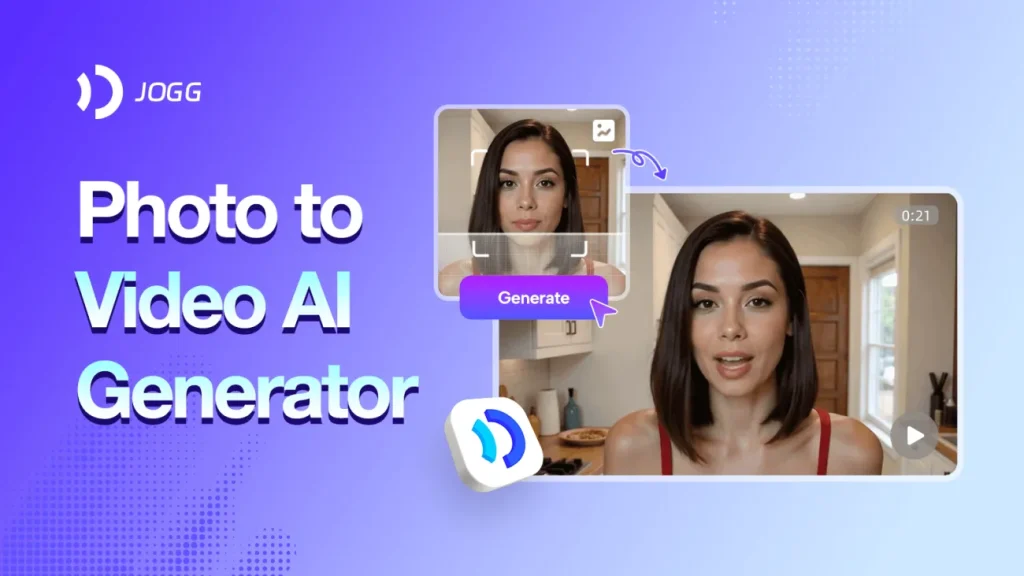
Image to Video AI technology takes your static photographs and converts them into dynamic videos using artificial intelligence. But here’s what makes this different from simple slideshow makers: the AI doesn’t just display your photo. It understands spatial relationships, applies intelligent animations, creates smooth transitions, and generates movement that feels natural and professional.
The process works through four straightforward steps:
Step 1: Upload Your Photo
Start by uploading your image to our Image to Video AI platform. The system accepts JPEG and PNG formats, so whether you’re working with professional photography or smartphone snapshots, your image will process smoothly. No format conversion headaches.
Step 2: Describe Your Vision
This is where Image to Video AI gets interesting. You simply type a text description of what you want. Instead of wrestling with timeline editors and keyframes, you communicate in plain language. “Zoom in on the coffee cup while steam rises” or “Pan across the landscape from left to right.” Our Image to Video AI technology interprets your instructions and prepares the animation framework.
Step 3: Let the AI Process
The Image to Video AI converter handles the heavy computational work. Typically, processing completes within five minutes. You’ll see a “processing” status as the AI applies dynamic transitions, intelligent zoom features, and smooth animations to bring your static image to life.
Step 4: Download and Share
Once your Image to Video AI creation reaches “Status Completed,” you’re ready to go. The output is MP4 format—universally compatible across all devices and platforms. Download your picture video and share directly to social media or use it in your marketing materials.
Workflow Optimization: How Image to Video AI Saves Time and Money
Let’s talk numbers. Traditional video production for a single product video costs $300-$1,500 depending on complexity. Hiring a freelance video editor runs $25-$75 per hour. Learning video editing software? That’s weeks of your time or money spent on courses.
Image to Video AI flattens these costs. Our platform is web-based—no expensive software licenses. It’s free to use for basic conversions, with optional premium features for advanced customization. Most importantly, the time investment drops from hours to minutes.
Here’s a realistic comparison:
Traditional Photo to Video Workflow:
- Hire videographer or learn software: 10-40 hours
- Shoot or edit footage: 3-8 hours per video
- Revisions and exports: 1-2 hours
- Total time investment: 14-50 hours
- Total cost: $300-$2,000+
Image to Video AI Workflow:
- Upload photo: 1 minutes
- Write text description: 5 minutes
- Processing time: 5 minutes
- Download and share: 2 minutes
- Total time investment: 13 minutes
- Total cost: Free to $10 (if using premium features)
For SMB owners juggling multiple responsibilities, this difference is transformative. You’re not hiring additional staff or outsourcing to agencies. You’re automating a process that previously required specialized skills.
Best Practices for Getting Professional Results
Choose High-Quality Source Images
Image to Video AI works best with sharp, well-composed photos. Professional product photography or high-resolution smartphone photos produce better results than blurry or poorly lit images. Think of your source image as the foundation—the better the input, the better the output.
Write Clear, Descriptive Prompts
When describing your vision to the Image to Video AI system, be specific. Instead of “make it move,” try “slowly zoom in on the product while rotating it 45 degrees.” Specific instructions produce more predictable, professional results. Our Image to Video AI technology responds to detailed guidance.
Optimize for Your Platform
Different platforms have different video specifications. Instagram Reels favor vertical video, YouTube prefers horizontal, TikTok works best with specific aspect ratios. When using Image to Video AI, consider your target platform and adjust your source image dimensions accordingly.
Maintain Brand Consistency
If you’re creating multiple videos using Image to Video AI for your brand, establish consistent animation styles. Use similar zoom speeds, transition types, and pacing. This creates a cohesive brand presence across your video content.
Test and Iterate
Your first Image to Video AI creation might not be perfect. The platform’s quick processing means you can experiment. Try different prompts, adjust timing, test various animation styles. This iterative approach helps you discover what resonates with your audience.
Common Questions About Image to Video AI
1.Is my data secure?
Yes. Our Image to Video AI platform uses industry-standard encryption to protect your uploaded photos and generated videos. We don’t store your content longer than necessary, and your data is never used to train our AI models or shared with third parties.
2.Do I need technical skills?
No. Image to Video AI is specifically designed for users without video editing experience. If you can upload a photo and write a text description, you can use our platform. The AI handles all the complex processing automatically.
3.What file formats does Image to Video AI support?
Input formats include JPEG, PNG, and JPG. Your generated videos export as MP4, which plays on virtually every device and platform. This universal compatibility means you can share your picture videos anywhere without conversion hassles.
4.Can I use Image to Video AI on my phone?
Absolutely. Our Image to Video AI platform is fully mobile-responsive and works on both iOS and Android devices. No app installation required—just open your mobile browser and start converting photos to videos. This mobile accessibility means you can create content on the go.
The Bottom Line: Why SMBs Should Care About Image to Video AI
The competitive landscape for SMBs has shifted. Your customers expect video content. Your social media algorithms reward it. Your competitors are probably already using it. But you don’t need expensive production teams or specialized skills to compete.
Image to Video AI democratizes video content creation. It takes the visual assets you already have—product photos, travel pictures, educational diagrams, brand imagery—and transforms them into professional video content. It saves time, reduces costs, and removes the technical barriers that previously kept many SMB owners from video marketing.
The question isn’t whether Image to Video AI is worth exploring. The real question is: how long can you afford to leave your static photos sitting unused while your competitors convert theirs into engaging video content?
Start with a single image. Upload it to our Image to Video AI platform. Write a simple description of what you want. Watch as your static photo transforms into dynamic video content in minutes. That’s when you’ll understand why so many SMB owners are making Image to Video AI part of their content strategy.
Your visual assets deserve to move. Let Image to Video AI make it happen.